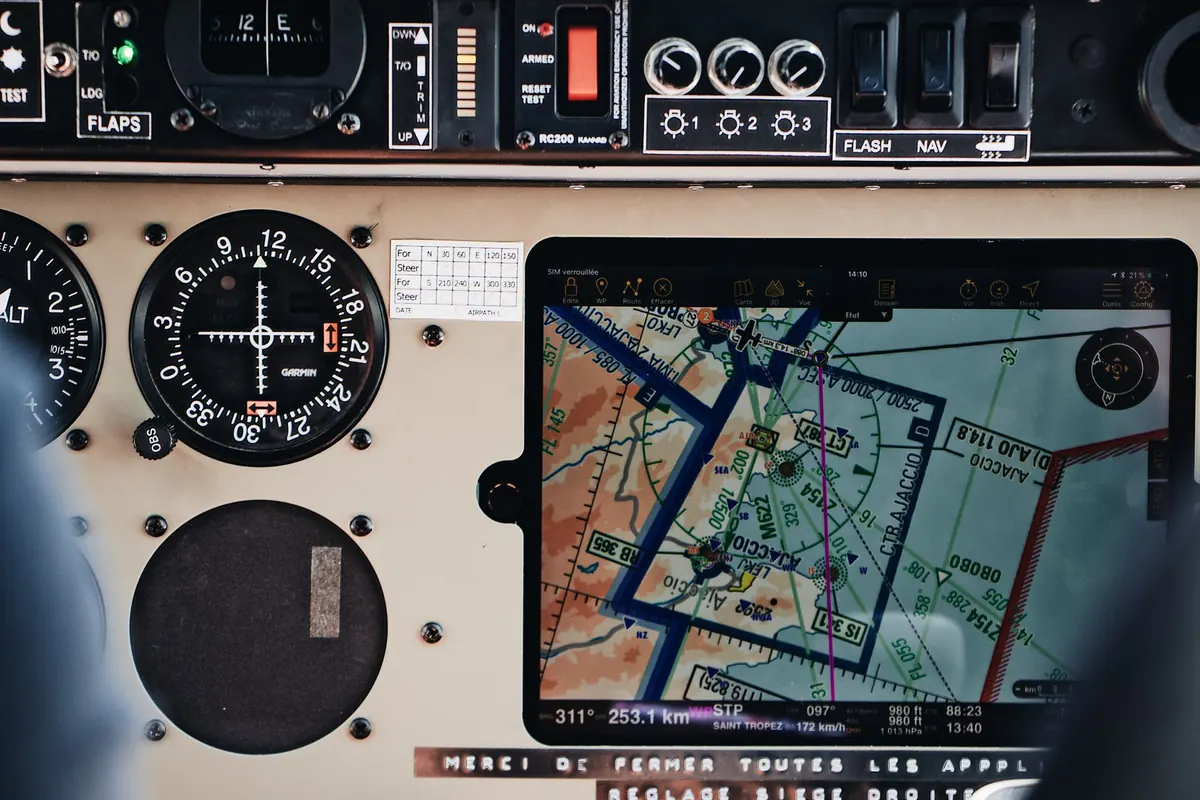
Flight Tracker Symbols Explained: Altitude, Speed, and Heading on Live Radar
A wide-body at cruise over the Atlantic looks almost motionless on screen, while a regional jet on final approach seems to sprint across the map. Both impressions come from the same handful of numbers. Trackers squeeze altitude, speed, heading and a small aircraft silhouette into a label you can read in half a second — provided you know what each part means. The catch is that the figures look similar whether a jet is climbing out of Milan Linate or holding at 3,000 feet over the Alps, and a few of them are not quite what their names suggest. Here is how to read them without guesswork.
The Icon Is a Compass, Not a Portrait
On most live radar services the aircraft symbol is a generic silhouette: a jet, a turboprop, a helicopter. It is drawn to show which way the aircraft is pointing, and that is its main job. It is not a portrait of the airframe. A Boeing 737 and a Boeing 777 usually get the same twin-jet shape, and icon size mostly follows your map zoom rather than the size of the plane. Zooming in makes everything look bigger.
Some trackers swap the silhouette for a small circle, square or hollow marker. That is usually a statement about data quality, not aircraft type — it often means the position was calculated from multilateration or another indirect method instead of a direct broadcast from the aircraft. Positions like that can be a few seconds late or a few hundred metres off, which matters when you are watching an aircraft on short final.
Heading and Track Are Two Different Things
Heading is where the nose points. Track — sometimes labelled course over ground — is the path the aircraft is actually making across the ground. In still air they match. Add wind and they separate.
Why the nose doesn't always point where the aircraft is going
Watch arrivals at a coastal airport on a breezy day and you will see it clearly: the aircraft tracks straight down the approach path while the icon sits angled several degrees off the runway centreline, crabbed into the crosswind. The flight computer is holding a track, not a heading. If a label shows both HDG and TRK, a wide gap is a decent clue that there is a strong crosswind at that altitude, or that a turn is in progress.
Turns produce a second mismatch. The icon rotates immediately, but an airliner at cruise takes the better part of a minute to roll into and out of a turn. Trust the trail behind the aircraft more than the nose of the icon when you want to know where it has actually been.
Altitude: Feet, Flight Levels and "Ground"
Most labels show altitude in feet. On the ground, the field is usually replaced by the word Ground or a very small number, which is how you tell a parked aircraft from one lined up and waiting. Values in the low thousands are usually departures and arrivals; anything consistently above 30,000 feet is cruise.
The standard pressure setting
Above a transition altitude — 18,000 feet in the United States, generally lower in Europe — crews stop referring to height above the sea and switch to flight levels, all aircraft using the same reference pressure. When you see FL350, read it as roughly 35,000 feet, but not exactly: the real height above the ground depends on the local pressure and terrain. The altitude on your screen comes from the aircraft's own pressure-based encoder, so it is what the aircraft reports, not a GPS measurement. Tiny jumps of 25 or 50 feet are normal and not a sign of anything wrong.
Speed on the Map Is Ground Speed
The speed figure is ground speed in knots, one knot being 1.852 km/h. It is measured against the surface, which makes it genuinely useful for judging what phase of flight you are watching.
- 0–25 knots: taxiing, pushing back, or holding short of a runway.
- 130–180 knots: takeoff roll, initial climb, or approach.
- 250–300 knots: typical below 10,000 feet, where speed limits usually apply.
- 450–500 knots: normal airliner cruise, adjusted up or down by wind.
- 550 knots and above: a strong tailwind at high altitude, not a faster aircraft.
Do not compare this figure to a car speedometer, and do not expect it to match what a passenger sees on a cabin screen. Ground speed includes the wind; the speed a crew flies is an airspeed, and at cruise the two can differ by a hundred knots or more. A jet showing 480 knots over the ground may be flying an indicated airspeed closer to 270.
Vertical Speed and Trend Arrows
Vertical speed is given in feet per minute, often with a plus or minus sign or a small arrow. Zero means level flight — that is what cruise looks like. A departure typically shows something in the region of 1,500 to 2,500 feet per minute early on, easing as it climbs. Descents tend to run around 1,500 to 2,000 feet per minute, with the last few hundred feet much gentler.
Read it as a trend rather than a precise instrument. Values flicker between updates, and a number swinging between plus and minus 100 feet per minute is just a level aircraft being level. What matters is the direction and the size: an aircraft at 2,000 feet showing minus 700 feet per minute is on approach, while the same aircraft at 2,000 feet showing plus 1,800 is climbing away after a go-around or a touch-and-go.
Trails, Colours and Codes
Everything behind and around the icon carries information too.
- Solid trail: consecutive positions from direct broadcasts. Reliable.
- Dashed or dotted trail: gaps in coverage or estimated positions. The path is approximately right, the timestamps less so.
- Trail colour: often mapped to altitude, sometimes to speed. Check the legend before drawing conclusions.
- Callsign: the flight identifier, such as an airline code plus a number. It can be reused day to day.
- Registration: the aircraft's own tail number, which stays with the airframe.
- Special squawks: 7700 for a general emergency, 7600 for radio failure, 7500 for unlawful interference. These are rare, and a tracker showing one is worth treating as unconfirmed until other sources agree.
One more point about timing: consumer feeds are usually delayed by seconds, and the free ones can lag by minutes. If a radar image and a live view out of the window disagree, the screen is almost certainly the older of the two.
A Quick Checklist for Any Label You Click
Next time you tap an aircraft, run through this in order. It takes about five seconds and prevents most misreadings.
- Look at the trail first. Where has it come from, and is the line solid or dashed?
- Compare the icon's rotation with the trail. A mismatch means wind or a turn.
- Combine altitude with vertical speed. 1,200 feet at minus 700 is a landing; 1,200 feet at plus 2,000 is a departure.
- Sanity-check the ground speed against the phase of flight you have inferred.
- Note the callsign and any code, then glance at the coverage quality before trusting a tight turn or a sudden stop.
Two examples pull it together. A label reading 1,200 feet, 210 knots, minus 700 feet per minute, with a solid trail running straight toward a runway, is an aircraft on final approach, and the icon will be angled slightly into whatever crosswind exists. A label at FL370, 480 knots and zero vertical speed with a dashed trail over open ocean is a jet in level cruise, its reported position a little less certain than the number suggests. Read the label as a set of clues rather than a single figure, and the map stops being a tangle of arrows and starts telling you a story.
Photo: Maël BALLAND / Pexels